Repair or Upgrade Your Smartwatch? The 2026 Owner's Guide
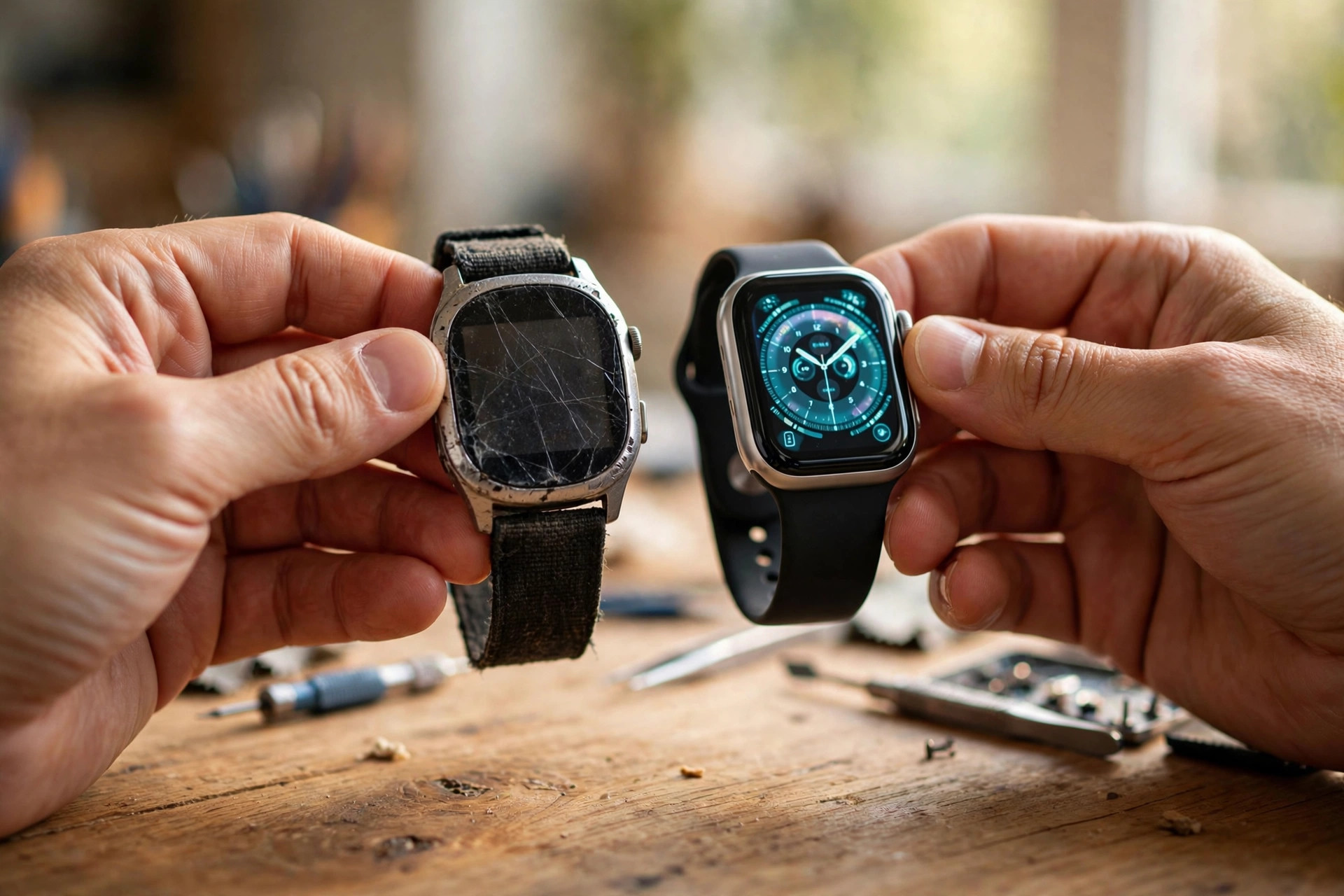
Your smartwatch used to last two days. Now it's dead by dinner. Or it stopped getting updates. Or the screen finally met the pavement. Before you spend a cent, this guide answers the real question: is your watch worth saving — or is the upgrade the smarter money? Two minutes of diagnosis, real repair costs, and the honest upgrade math for Apple, Samsung, and Pixel owners.
Our honesty policy
Every cost, support window, and settings path below comes from manufacturer documentation or published expert reporting, cited inline. We haven't torn down your specific watch — so where prices vary by model or region, we say so instead of faking certainty. No affiliate link on this page will ever change a recommendation.
1. The 2-minute diagnosis
Run these three checks before anything else. They determine almost every repair-vs-upgrade decision.
- Battery health. On Apple Watch: Settings > Battery > Battery Health — it shows your maximum capacity as a percentage. Below 80% is the official "worn out" line. Samsung and Google don't expose a clean percentage the way Apple does, so judge by behavior: dying before dinner, shutting off above 10%, or needing two charges a day all mean the same thing. Most watch batteries degrade noticeably after 2–3 years / 300–500 charge cycles.
- Update status. On the watch, check for software updates. If none appear and your model is listed below as dropped, you're on your last version forever — no security patches, no new features, and apps will gradually stop working. See the support table below.
- Physical state. Cracked screen, swollen case (a failing battery can push the screen out), or dead sensors are structural problems. A swollen battery is a safety issue — stop using the watch and get it serviced, don't keep charging it.
2. Who still gets updates in 2026
This is the single biggest factor most owners miss. A watch that still receives updates stays secure and keeps getting features; a dropped one is on borrowed time.
| Your watch | Still getting major updates? | What this means |
|---|---|---|
| Apple Watch Series 9 / 10 / 12, Ultra 2 / 4, SE 3 | Yes | Supported by watchOS 27 (Sept 2026). (MacRumors) |
| Apple Watch Series 6 / 7 / 8, Ultra 1, SE 2 | No | Dropped from watchOS 27 — no more major updates, security patches winding down. |
| Galaxy Watch 9 / Watch Ultra 2 | Yes — until 2031 | Five years of OS upgrades + security patches; the longest commitment in smartwatches. (SamMobile, Android Authority) |
| Galaxy Watch 4 / 5 / 6 / 7 / 8 / Ultra 1 | Partially | Four OS upgrades + five years of security patches. Watch 4/5 owners: your window is closing or closed — check your model year. |
| Pixel Watch 5 / 4 | Yes | Watch 4 is notably the most repairable smartwatch per iFixit (screws, official parts, warranty-safe). (iPhone in Canada / iFixit) |
| Pixel Watch 1 / 2 / 3 | Mostly no | Three-year update commitment. Watch 1's window has ended; Watch 2's ends ~Oct 2026; Watch 3's ~Oct 2027. And the 1–3 are not repairable — Google replaces, doesn't fix. (Android Authority) |
3. Real repair costs, by brand
- Apple Watch battery: official out-of-warranty battery service runs roughly $79–$99 depending on model (battery service for the newest models is $99 per MacRumors). With AppleCare+ it's free if capacity is under 80%. Catch: Apple typically swaps your entire watch for a refurbished same-model unit — great if your case is scratched, but back up first and say goodbye to your original. Third-party shops charge $30–70; DIY kits run $20–45.
- Apple Watch screen/other damage: out-of-warranty "other damage" repairs run $349+ for aluminum models — at that point, a new watch is usually the better math.
- Samsung Galaxy Watch: battery and screen service through Samsung or authorized centers; costs vary by model and region — check Samsung's support page for your model before deciding. Samsung's designs are generally more repair-friendly than sealed competitors.
- Pixel Watch 4/5: Google's repairability turnaround — iFixit sells official parts, and opening the watch doesn't void the warranty. Battery swaps are a realistic DIY-or-shop job now.
- Pixel Watch 1/2/3: effectively unrepairable by design. No official battery replacement path — if the battery's gone, so is the watch.
4. Seven signs it's time to upgrade
- Your model no longer receives major OS updates (see table above).
- Battery health under 80% and official repair costs more than ~40% of a new watch's price.
- Your watch is unrepairable by design (Pixel Watch 1–3) and the battery is fading.
- Apps you rely on — workouts, payments, messaging — have dropped support or run badly.
- The screen is cracked and "other damage" repair approaches new-watch pricing.
- You want health features your hardware physically can't do: sleep-apnea detection, blood-pressure pattern tracking, on-device AI.
- You're charging twice a day and it's changing how you live — a watch you can't trust is jewelry, not a tool.
5. What a 2026 upgrade actually gets you
Upgrading from a 2021–2023 watch isn't a spec bump — it's a generation jump. The honest highlights:
- On-device AI that works offline — voice commands with no signal, no phone, no waiting (Pixel Watch 5).
- Health insights, not just data — Energy Scores, AI day summaries, Readiness scores, sleep-apnea detection.
- Gesture control — double-pinch to answer calls and confirm replies, hands full.
- Multi-day batteries — 800 mAh-class batteries and 5,000-nit outdoor displays on the adventure tier.
- Longer support windows — Samsung's 5-year/2031 commitment means your next watch can outlive the one you're replacing by years.
- Repairability (finally) — the Pixel Watch 4 generation proves sealed-and-disposable isn't the only option anymore.
Not sure which one fits you? Our 60-second quiz matches you to the right 2026 watch by phone, budget, and lifestyle — and our pro-tips guide teaches you the one killer feature on each.
6. The verdict math
A simple rule that works for almost everyone:
- Repair if: the fix costs under ~40% of a new watch, your model still gets updates, and the repair is official or warranty-safe.
- Upgrade if: updates have ended, the battery is dying and the watch is unrepairable, or repair costs approach new-watch pricing.
- Wait if: only the battery is weak and a cheap official battery service exists (Apple's $79–99 service is the textbook case) — that's the best value in wearables.
Still deciding? Take the 60-second quiz to see what your money buys in 2026 — you might be surprised how far it's come.
Want a heads-up when prices drop? Set a price-drop alert on the buyer's guide and buy the upgrade at the right moment, not the desperate one.
Keep your watch alive longer: the Smartwatch Care hub — battery-life tricks, battery-health checks, and fixes for the most common problems.